Hubbuy Storage Cart Cost Check
Hubbuy Storage Cart Cost Check
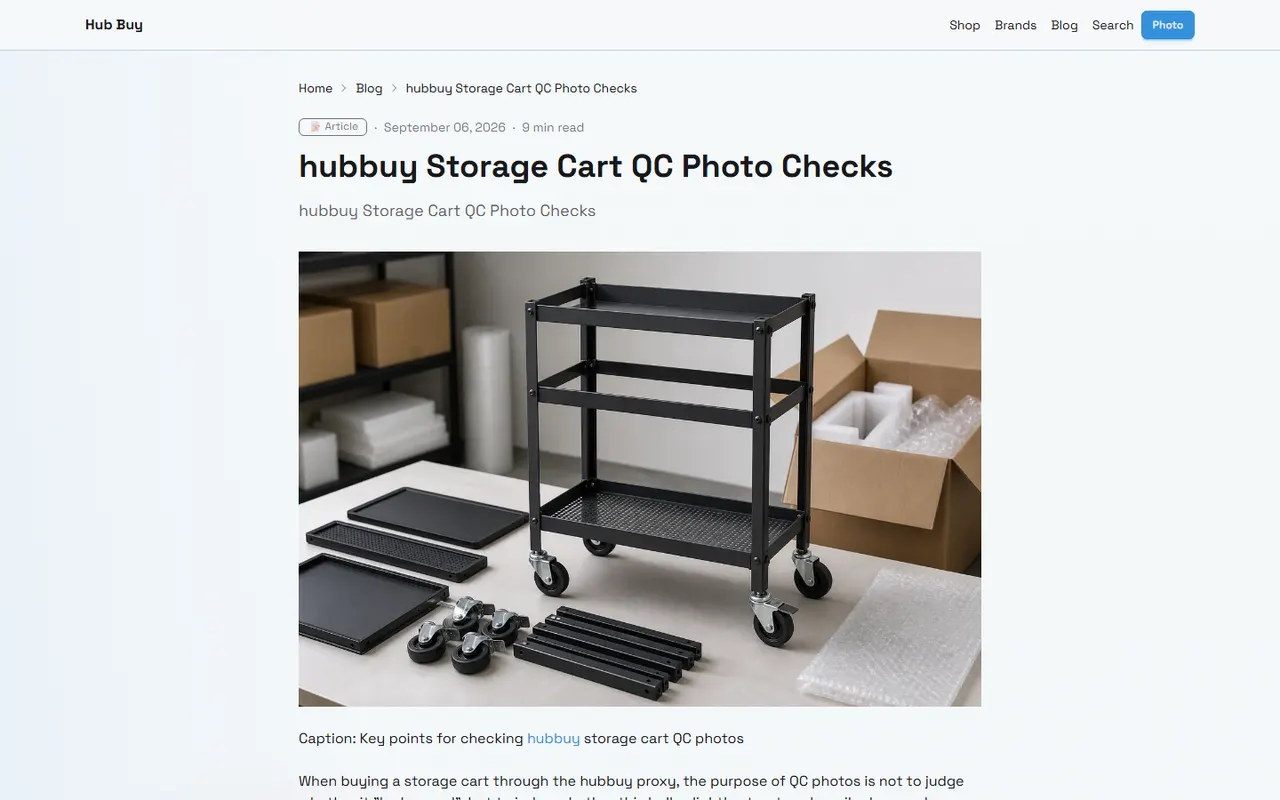
A storage cart may seem like just a household item, but its final cost usually depends on more than the price listed on the product page. Dimensions, packaging, weight, warehouse status, shipping method, and destination country fees can all affect the actual cost after ordering.
If you plan to find or record storage carts on hub-buy.com, it's best to first solve a specific issue: how to record product information, shipping notes, and subsequent verification results in the same set of fields, and compare them item by item between the website spreadsheet and Google Sheets.
This article is intended for buyers who need to organize candidate products, update shipping notes, or compare different shipping options. It is not a substitute for platform quotes, destination country customs decisions, or final carrier billing. Page information changes; anything involving prices, promotions, inventory, weight, dimensions, and shipping conditions should be re-verified before making a payment decision. 📋
Break Down Product, Packaging, and Shipping Notes First
The most common mistake when updating storage cart records is writing product price and shipping cost in the same note. This seems convenient in the short term, but later it becomes difficult to determine which number came from the product page, warehouse measurement, or carrier quote.
It is recommended to split the information into at least the following groups:
Product information: product name, product page identification, specifications, color, quantity, and current page price.
Packaging information: warehouse measured weight, length, width, height, whether extra packaging is needed, and whether there are detachable parts.
Shipping information: destination country or region, shipping method, quote date, first weight or additional weight rules, volumetric weight explanation, and restrictions.
Cost notes: product amount, domestic fees, warehousing or handling fees, international shipping, possible taxes, and unconfirmed items.
Status information: to be verified, verified, quote changed, missing data, or needs manual confirmation.
Storage carts especially require attention to packaging dimensions. The product itself may be foldable, but that does not mean the shipping package will be small; models with multi-layer frames, wheels, or metal brackets may also have shipping costs affected by outer box length or volumetric weight.
Therefore, notes should not be written as "cheap shipping" or "expected not expensive," but as verifiable information, such as "waiting for warehouse measured outer box dimensions," "destination recorded, but shipping method not selected," or "page promotion deadline unconfirmed." 🛒
How to Interpret Update Prompts on hubbuy's Website Spreadsheet
The tables or spreadsheet records on hubbuy pages are suitable for saving product candidates and current verification status. Before updating, first confirm that you are editing the correct record, not a similar product, duplicate row, or old version note.
You can check in the following order:
First verify the product name and specifications.
Then verify the price, stock, or purchase availability shown on the product page.
Check whether weight, dimensions, shipping method, and destination fields already exist.
Write the new verification date into the date field or at the beginning of the note.
Leave fields for unconfirmed data blank or mark them as "to be verified"; do not overwrite the original record with estimated values.
After saving, reopen the record to confirm the updated content is still visible.
If the website prompts a field format error, first check whether the date, amount, and numeric fields meet the current spreadsheet format requirements. Amount fields should not mix different currencies, and weight and dimensions should not omit units; otherwise, later comparisons may mistakenly mix grams, kilograms, or inches.
If a save fails, content disappears after page refresh, or record status does not change, do not repeatedly resubmit. First keep the original content, confirm network and login status, and then re-read the record. For shipping notes, writing the same content repeatedly may cause multiple dates and conclusions to conflict.
How to Set Up Shipping and Promotion Records in Google Sheets
Google Sheets is better for personal verification, version tracking, and calculations. It should not be treated as a substitute for real-time platform quotes, but as a comparison layer recording what you saw at a certain time and items still pending confirmation.
It is recommended to use clear, fixed column names, for example:
Verification Date
Product Name
Product Specifications
Product Page Status
Product Price
Currency
Product Quantity
Product Weight
Package Length
Package Width
Package Height
Destination Country or Region
Shipping Method
Shipping Quote
Other Known Costs
Promotion or Discount Notes
Data Source Description
Next Action
Verification Status
Among these, "Data Source Description" should describe the source of the number, such as "product page visible price," "warehouse measurement result," "current shipping page quote," or "buyer not yet provided." "Next Action" answers what to do next with this record, such as "waiting for outer box dimensions," "re-confirm promotion validity period," or "compare split shipping options."
Do not treat formula results as final shipping costs. If you need to calculate candidate options, keep product amount, known costs, and current shipping separately, then calculate a tentative total separately. That way, when a cost changes, you don't have to break down a whole paragraph of text again.
Compare Links, Specifications, and Note Update Times
When comparing website records with Google Sheets, the key is not to make the text identical on both sides, but to confirm they describe the same product, same specifications, and same verification time.
You can use the following comparison order:
Product identification: Are name, specifications, color, and quantity consistent?
Page status: Are both marked as accessible, pending confirmation, or invalid?
Price conditions: Is the same currency used? Are promotions, quantity thresholds, or time restrictions noted?
Logistics conditions: Are destination, shipping method, and quote date consistent?
Dimensions and weight: Is it product information or warehouse measurement? Are units specified?
Note time: Does the latest conclusion overwrite the old conclusion? Is the old record still worth keeping?
If the product page redirects, becomes inaccessible, or only shows category information, it cannot continue to be treated as a valid product page. At this point, change the status to pending review or invalid, and keep the original record; do not fill in missing fields with search result titles.
Comparison Item | Website Spreadsheet | Google Sheets | Handling When Inconsistent |
|---|---|---|---|
Product Specifications | Current platform record | Personal verification record | Reopen product page to confirm specific specifications |
Product Price | Current page visible value | Historical value with date | Keep historical value and add latest verification value |
Weight & Dimensions | May be waiting for warehouse measurement | Record measurement source and units | Do not replace actual measurement with estimated value |
Shipping Notes | Platform work record | Calculation and comparison record | Mark quote date, destination, and shipping method |
Promotion Information | Page or activity prompt | Verification summary | Mark as pending confirmation if validity period unconfirmed |
After comparison, it is best to write the same short status word on both sides, such as "waiting for warehouse measurement," "shipping method to be confirmed," or "completed this page verification." This reduces misunderstandings where one side shows "completed" and the other still shows "pending."
Cost Field Verification Checklist for Storage Cart Candidates
For storage carts, it is recommended to first create candidate records before deciding whether to add to cart. Do not compare only product page prices, because a lower listed price may correspond to different specifications, quantities, or packaging conditions.
A complete candidate record should at least answer:
What is this product and which specific specification?
What quantity and conditions does the price on the page correspond to?
Can you currently access and see enough product information?
Have packaging weight and dimensions been obtained?
Are destination and shipping method clear?
Is the shipping cost a real-time quote, historical record, or unconfirmed?
Are there promotion thresholds, activity periods, or usage restrictions?
What missing information would prevent you from making an ordering decision?
You can break down costs into the following logic:
Tentative total cost = product amount + known domestic fees + known handling fees + current visible international shipping + other confirmed costs
This result is only a tentative estimate for record-keeping purposes. Taxes, customs clearance fees, remote area surcharges, or later carrier adjustments, if not clearly displayed on the page, should not be written as confirmed amounts.
If you plan to compare combined shipping and split shipping, record product quantity, packaging weight, volume, fixed costs, estimated shipping, and risks for each option separately. Combined shipping may reduce duplicate first weight or handling costs, but may also increase package volume, single loss risk, or route restrictions; split shipping may incur more fixed costs but may be more suitable for items with larger dimensions or different shipping restrictions. The final decision should be calculated based on current destination and actual quotes, not by applying conclusions from other orders. 📦
How to Preserve Uncertainty When Weight or Dimensions Are Missing
When there is no warehouse measured data, do not infer weight and outer box dimensions from product photos, titles, or similar products. Similar storage carts may differ significantly in layers, materials, wheels, brackets, and packaging methods.
It is recommended to distinguish information using three statuses:
Verified: data has a clear source, date, and units.
Partially verified: product page information is visible, but packaging or shipping fields are not yet confirmed.
Unverified: missing key data to support calculations.
In Google Sheets, you can leave missing items blank and write what needs to be supplemented in "Next Action." In the website spreadsheet, you can write "waiting for warehouse measured weight and outer box dimensions" in the note, rather than writing a seemingly precise estimated number.
If you must make a budget, you can create a budget range and clearly state that it is not a platform commitment. The range should be based on data already obtained and clear assumptions; if there is no reliable basis, it is better to postpone ordering rather than use overly precise numbers to create a sense of certainty. 🔎
Boundaries of Promotion Changes and Shipping Information
Coupons, promotional prices, threshold discounts, and free shipping prompts may change over time, by region, account conditions, or product specifications. They should be recorded with verification date and applicable conditions, and cannot be assumed to be currently valid just because they appeared before.
Shipping information also needs to be verified separately. The price shown on the product page usually cannot directly represent the final cost to the destination; shipping quotes may depend on weight, volume, route, service type, and warehouse processing results.
Therefore, promotion notes can state:
Promotion name or type shown on the page.
Verification date.
Applicable product, quantity, or amount threshold.
Whether it has been confirmed usable during checkout.
Conditions still to be confirmed.
Shipping notes should state:
Destination country or region.
Shipping method.
Weight or dimension basis for the quote.
Quote date.
Whether taxes, handling fees, or other items are included.
Whether there are route or product restrictions.
Do not merge the two types of information into "there is a promotion so shipping is cheap." A promotion may reduce the product amount or specific fees, while shipping costs still need to be confirmed based on actual packaging and route.
Final Actions: Update Records and Decide Whether to Order
After completing the comparison, you can wrap up in the following order:
Update product, specifications, shipping notes, and verification date in the hubbuy website spreadsheet.
Keep this verification value in Google Sheets without overwriting historical records.
Check product identification, currency, units, destination, and shipping method on both sides.
Mark fields missing weight, dimensions, promotion conditions, or tax information as pending verification.
Reopen or refresh the record to confirm saved results are visible.
Only proceed to the next step of ordering when product information, packaging data, and shipping conditions are sufficient to support a decision.
If using a combined shipping plan, the savings should be calculated based on the difference in known costs between the two current options, while also recording new risks of volume, route, loss, and customs clearance. It is more suitable for buyers with a larger quantity of goods, clear packaging conditions, and shipping routes that allow consolidation; if the storage cart is large, weight is unconfirmed, single package value is too high, or route restrictions are unclear, it is not recommended to decide solely based on "combined shipping is usually cheaper."
If using a split shipping plan, record the increased fixed costs and the possibly reduced single loss risk at the same time. It is more suitable for situations where risk needs to be spread, product dimensions differ greatly, or different products require different shipping conditions; if fixed costs increase significantly and there is no clear route or risk reason, split shipping should not be considered the default better option.
The final judgment should not look only at the product listed price, but at whether the record is complete, whether key fields have sources, whether cost conditions are still within validity, and whether you know what to verify next. Updating spreadsheets and Google Sheets this way keeps the cost judgment for storage carts traceable, and allows you to quickly identify areas needing re-confirmation when prices or shipping conditions change.
Agent Platform Shopping FAQ
1. What is the purpose of using spreadsheets on hub-buy.com?
Since agent platforms like hub-buy.com typically don't showcase products directly, you'll need a spreadsheet to locate items you're interested in and find their purchase links. Alternatively, you can ask for help on Reddit or Discord—products recommended there are usually great, but the buying process tends to be quite slow. These spreadsheets are generally built over a long time by collecting information from those platforms.
2. How can I review quality inspection photos on hub-buy.com?
When looking at QC photos, you should pay attention to the specific attributes of the item you bought. For shoes, check key areas like the toe, heel, and tongue to evaluate stitching, the shoe's shape, and the tongue's thickness to determine if it's a good quality pair. For clothing, examine the collar label, logo embroidery, fabric, and the neatness of the collar and cuffs, among other details.
3. Which platforms offer the best coupons for hub-buy.com users?
I suggest Kakobuy because it currently has a $15 discount code with no minimum purchase required. This is an excellent deal for users ordering smaller packages. The promo code is kakobuy888.
4. How do I search for products I want to buy on hub-buy.com?
You can search using a single keyword or go straight to the category page, where items are also sorted by brand. Longer search phrases usually yield fewer results than shorter ones, but they are more accurate. For instance, you could search for "Air Force 1 White," "sneakers," or just "Air Force 1."
5. Is the spreadsheet website safe to use with hub-buy.com?
This website does not gather any personal information; it functions only as a product catalog for the agent platform hub-buy.com. All transactions occur on the agent platform itself.
Browse our latest products and find your next favorite item.